Understanding Kling Motion AI Technology
As the field of video creation evolves, the demand for innovative tools to facilitate motion control and animation continues to grow. One of the most exciting advancements is Kling Motion AI, particularly its latest version, Kling 2.6. This technology is designed to seamlessly transform static images into dynamic, lifelike videos. With a focus on detail and precision, Kling motion ai stands at the forefront, offering creators the ability to blend creativity with advanced AI capabilities for remarkable storytelling. In this article, we will explore how Kling Motion AI works, its key features, and how it can revolutionize your approach to video generation.
What is Kling Motion AI?
Kling Motion AI is an advanced motion control system that leverages artificial intelligence to animate still images. The technology analyzes the input images and generates video sequences that mimic natural movement, allowing creators to produce realistic animations from a simple photo. The AI engine interprets the nuances of motion, including body language, facial expressions, and even the subtle shifts in posture, providing a comprehensive solution for animating characters with depth and authenticity.
How Kling Motion AI Transforms Image-to-Video Creation
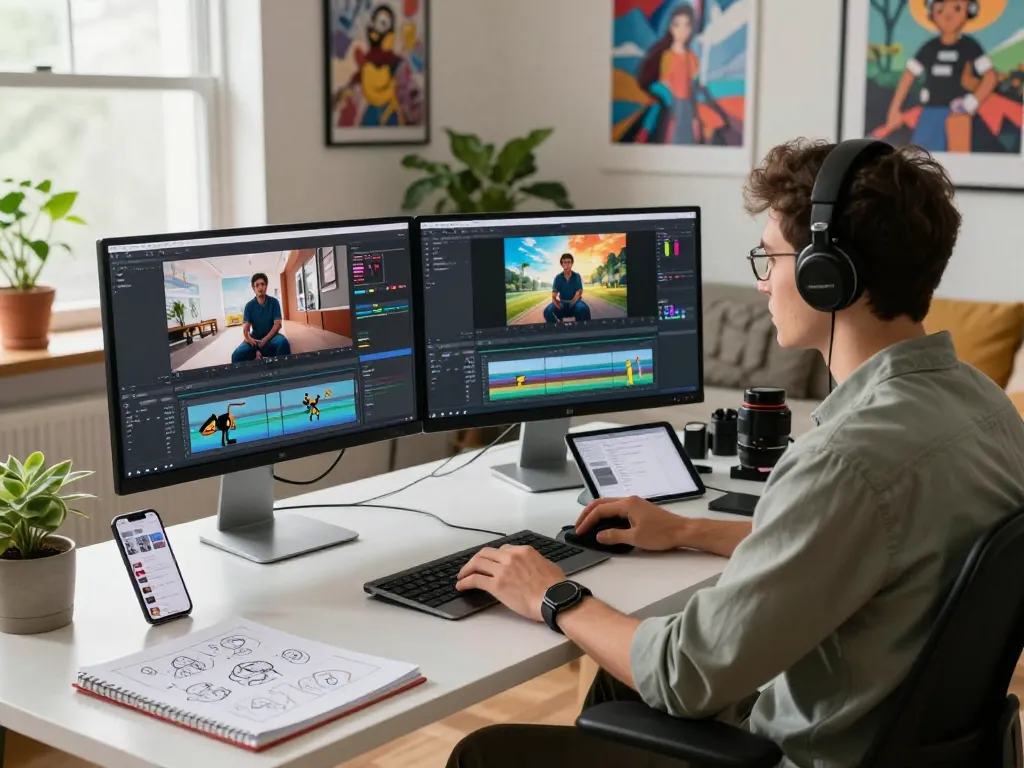
The transformation process begins with uploading a character image, which can be a full-body or half-body shot. Once the image is uploaded, users can enhance the animation by providing a reference motion video. Kling 2.6 analyzes the motion patterns from the reference and applies them to the static image. This capability allows for a high level of fidelity in motion transfer, ensuring that animations appear fluid and natural. By incorporating text prompts, creators can guide the AI in fine-tuning various aspects of the video output, such as actions and camera behavior.
Key Features of Kling Motion AI 2.6
- Accurate Motion Path Control: Allows precise definition of character movements and camera transitions.
- Reliable Character Identity Preservation: Maintains facial features and body proportions consistently across frames.
- Photorealistic Output: Produces high-resolution videos that closely resemble traditional CGI quality.
- Advanced Control for Complex Actions: Supports the animation of intricate movements, such as dance or martial arts.
- Rapid Video Generation: Speeds up the rendering process, enabling quick iterations and professional-grade outputs.
Getting Started with Kling Motion AI
To harness the full potential of Kling Motion AI, setting up your workspace correctly is essential. The interface is designed to be user-friendly, but understanding the nuances of the system will enhance your experience and end results significantly.
Setting Up Your Workspace for Optimal Results
Establishing an effective workspace involves organizing your resources and preparing your inputs. Ensure your images and reference videos are of the highest quality, as this will directly impact the final output. High-resolution images with clear backgrounds create a better foundation for the AI’s animation processes.
Choosing the Right Inputs for Accurate Motion Transfer
The type of images and motion clips you choose is crucial. Full-body images should be matched with full-body motion clips, and similarly for half-body images. This alignment is key to achieving realistic motion transfer, as it ensures the AI can accurately interpret and replicate the movements.
Step-by-Step Guide to Uploading Images and Videos
- Start by selecting a suitable character photo, ensuring it is at least 3.5 seconds in duration and has a size limit of 150MB.
- Upload your reference motion video, providing a clear motion pattern for the AI to analyze.
- If desired, enhance your output with text prompts that detail the actions, atmosphere, or any specific visual cues.
- Click the “Generate” button to initiate the animation process.
- Preview the result and export the video once satisfied with the motion accuracy and visual fidelity.
Best Practices for Effective Video Generation
While Kling Motion AI simplifies the process of creating animations, incorporating best practices can elevate your results even further. Understanding the strengths and limitations of the system will provide you with the tools necessary to create compelling content.
Enhancing Output with Text Prompts
Text prompts are not just supplementary features; they are vital for directing the AI in specific ways. By elaborating on the desired actions, tone, and camera perspectives, creators can profoundly influence the final output. This level of control allows for tailored animations that align closely with your vision.
Common Mistakes to Avoid When Using Kling Motion AI
- Ignoring Image Alignment: Always ensure your image and motion clip share similar orientations for effective results.
- Overlooking Quality: Use high-quality images and clips to prevent artifacts and distortions in the final video.
- Neglecting Space for Movement: Leave ample background space in your images to facilitate natural movements without cut-offs.
Tips for Achieving High-Quality Results
To achieve professional-level outputs, consider these tips:
- Use motion references that capture a full range of human movement.
- Provide clear and descriptive text prompts to guide AI behavior.
- Test different image and video combinations to find optimal pairings for your projects.
Exploring Advanced Techniques with Kling Motion AI
Once you’re comfortable with the basics, it’s time to delve into advanced techniques that can set your videos apart from the competition. These strategies will help you realize the full potential of Kling Motion AI.
Mastering Complex Actions and Expressions
Kling Motion AI excels at animating complex movements and expressions. By selecting appropriate reference videos that showcase clear, exaggerated motions, you can refine your animations for detailed character portrayals, such as lively dance sequences or dramatic gestures.
Leveraging Camera Control for Cinematic Effects
Incorporating camera movements like pans and zooms can dramatically alter the dynamics of your video. The ability to control these elements independently enriches the storytelling process and enhances the viewer’s engagement. Experiment with different camera angles and movements to add a cinematic quality to your animations.
Utilizing Reference Videos for Improved Accuracy
Reference videos are essential tools in achieving high-quality outputs. Select clips that illustrate controlled, fluid motions, as these will provide the AI with better cues for generating realistic animations. The more closely the reference matches your desired outcome, the more successful the final video will be.
The Future of Video Creation with Motion Control AI
As technology continues to evolve, the future of video creation is poised for significant change. Understanding emerging trends and predicting how they will influence the industry is essential for creators looking to stay ahead.
Emerging Trends and Predictions for 2026 and Beyond
In 2026, we can expect further advancements in AI-driven video generation, particularly in the areas of personalization and interactivity. Tools like Kling Motion AI will continue to refine their capabilities, allowing for even more intuitive user experiences and richer content creation. With the rise of virtual and augmented reality, expect to see these technologies integrated into creative platforms, broadening the possibilities for storytelling.
The Impact of AI on Creative Industries
The integration of AI into creative industries is reshaping how content is produced and consumed. Artists, filmmakers, and marketers are leveraging AI technologies to streamline their workflows and enhance creativity. This shift allows for a more collaborative environment where technology enhances human creativity, rather than replacing it.
Integrating Kling Motion AI into Commercial Projects
For businesses and content creators looking to leverage the power of Kling Motion AI, integrating this technology into commercial projects can provide a significant competitive edge. The ability to generate high-quality, lifelike animations can enhance marketing efforts, product showcases, and client presentations, ultimately leading to increased engagement and conversion rates.
What makes Kling Motion AI different from other video generation tools?
Kling Motion AI stands out due to its focus on accuracy and control. Unlike many other AI animation tools, it allows users to define precise motion paths and maintain character integrity throughout the animation process, providing a higher level of quality and realism.
Can I use Kling Motion AI for professional commercial projects?
Yes, Kling Motion AI is designed for professional use and is suitable for commercial projects. Its robust features and high-quality outputs make it an excellent choice for businesses, marketers, and content creators aiming to deliver exceptional video content.
How fast can I expect the video generation process to be?
One of the most appealing aspects of Kling Motion AI is its rapid video generation capabilities. The platform is optimized for performance, allowing users to create videos in minutes rather than hours, thus streamlining the creative process.
Does Kling Motion AI support dynamic facial expression changes?
Absolutely. Kling Motion AI excels at capturing and animating subtle facial expressions, ensuring characters convey emotions effectively and enhancing the storytelling aspect of your videos.
What are the ideal settings for the best motion control results?
To achieve optimal motion control results, use high-resolution input images, select reference videos that closely align with the desired actions, and provide detailed text prompts that guide the AI. Proper alignment and quality of inputs are crucial for success.